 Kenal
KenalFor banks and Islamic banks
Onboard customers and businesses remotely, read their statements and lend, with evidence for every decision.
Last updated
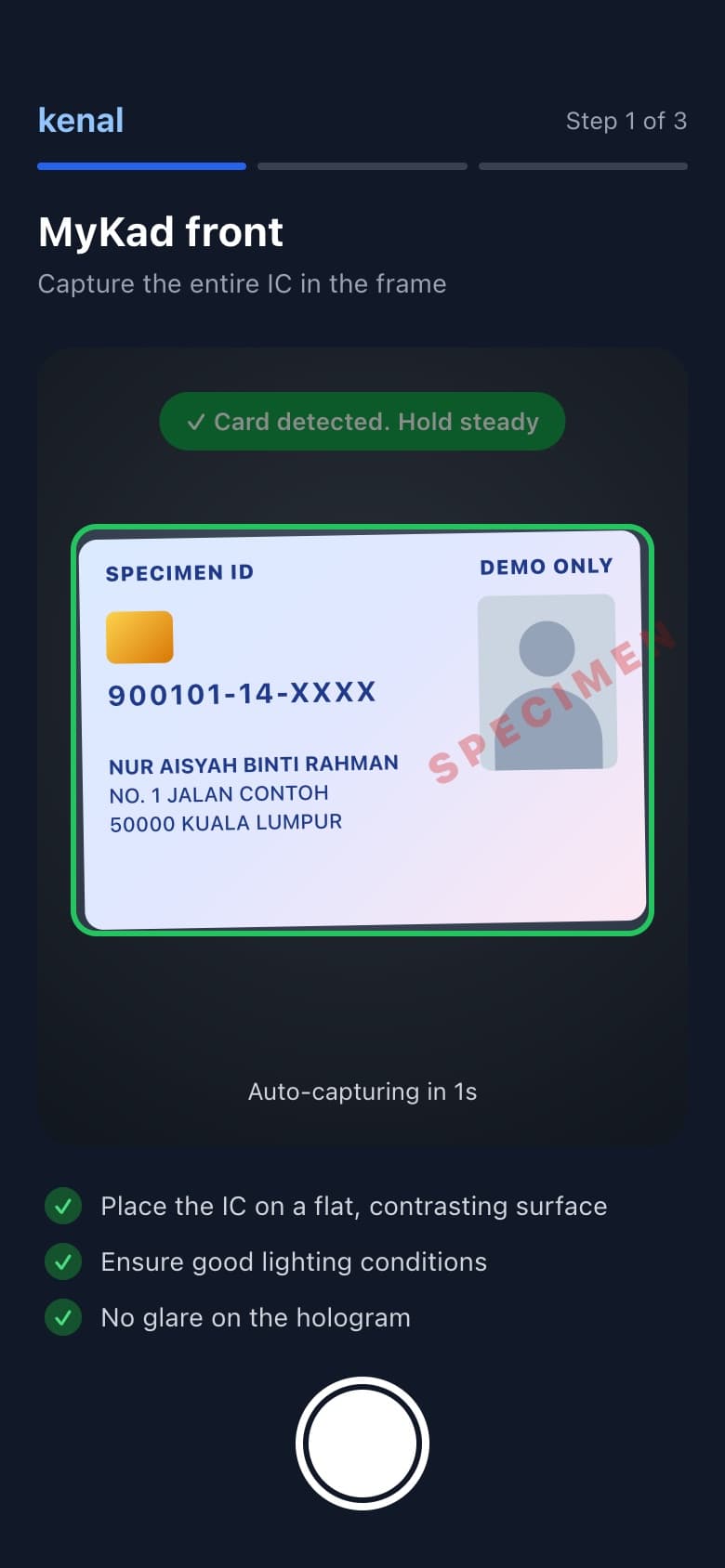
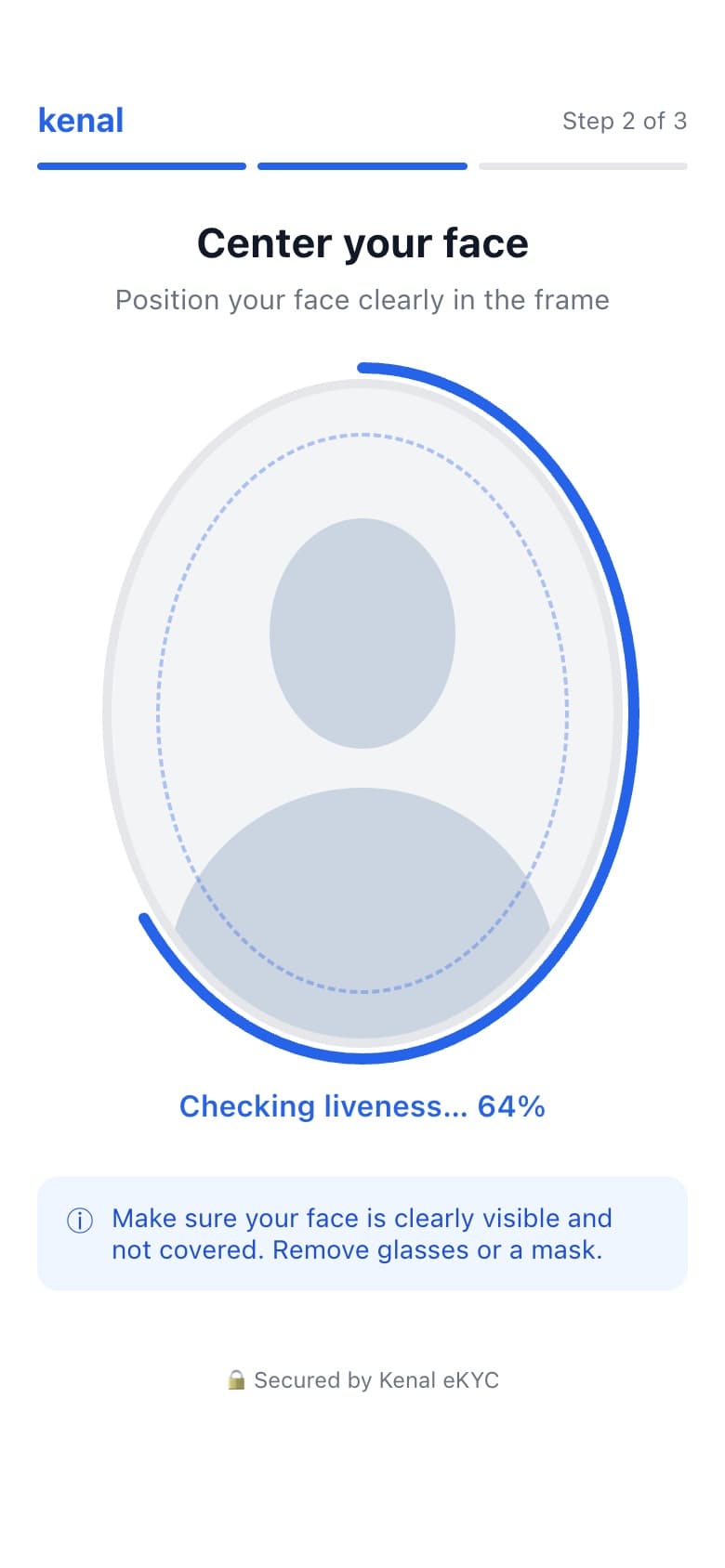
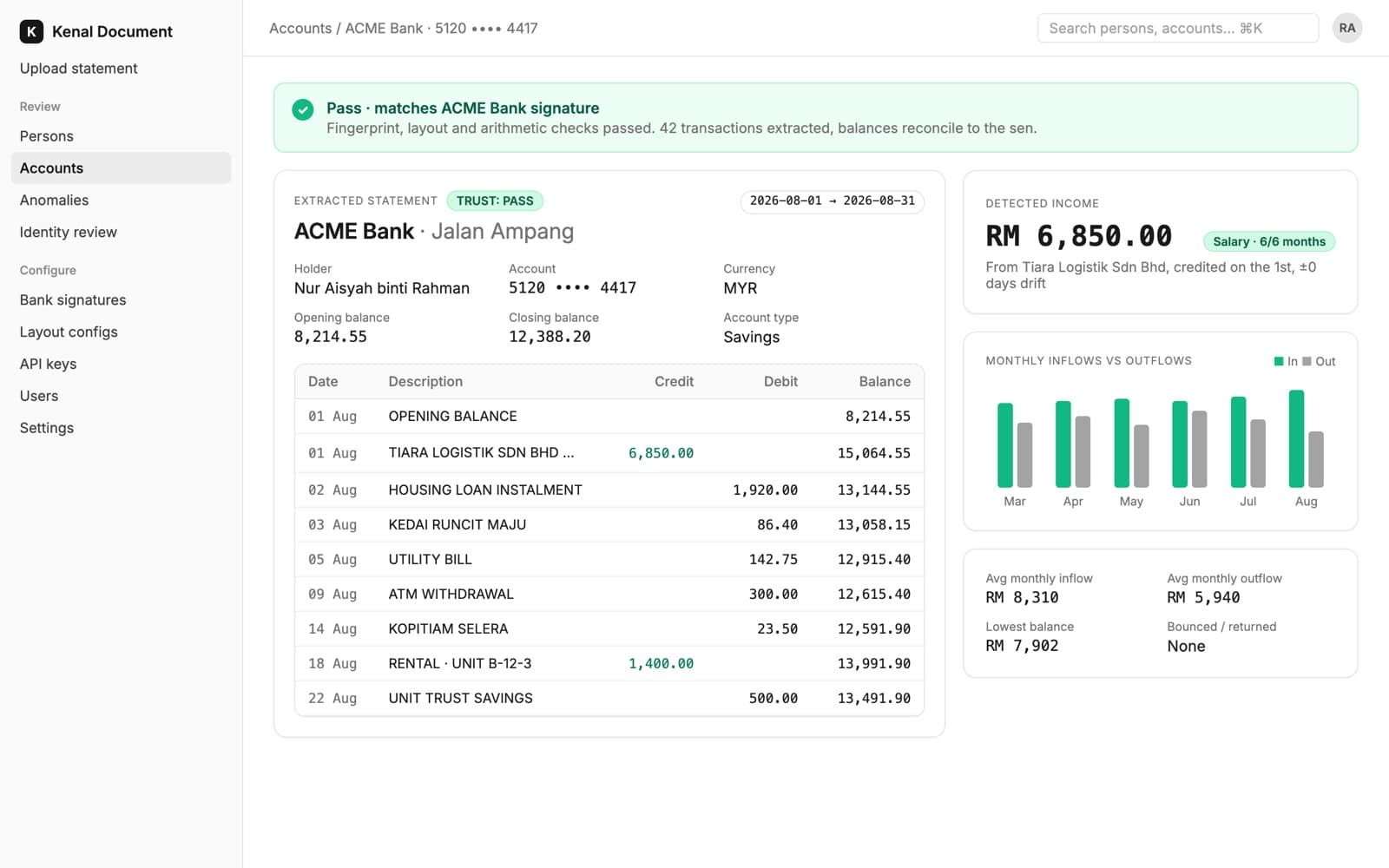
Kenal for banks is a set of remote onboarding, document, transaction and lending services that lets Malaysian banks and Islamic banks verify customers and businesses, read their statements, lend and stamp the agreement, with the evidence for every decision kept on file.
What you can do with Kenal
- Open accounts remotelyMyKad or passport, liveness, face match and AML screening in one flow.Kenal eKYC
- Onboard SME and corporate customersSSM registry check, signatory eKYC and a remote premise audit, with no branch visit.Kenal Business
- Read bank statements and catch tamperingAny Malaysian bank statement structured in seconds, with no per-bank templates.Kenal Document
- Understand customers from their transactionsEach transaction classified, then read for income, behaviour and credit signals.Kenal Transaction
- Originate and manage financing, conventional or IslamicApplication to repayment in one system, including Tawarruq and Murabahah.Kenal Loan
- Sign agreements tied to a verified identitySignatures bound to the customer verified at onboarding and a one-time code.Kenal Sign
- Stamp agreements with LHDNDuty assessed, filed and the certificate returned to the contract record.Kenal Stamps
Example: digital account opening
A new customer opens an account from their phone, and your team sees a risk picture before the first deposit.
Step 1: Kenal eKYC
The applicant scans their MyKad, passes a liveness check and is face-matched and screened against AML, PEP and sanctions lists.
Step 2: Kenal Document
They upload a statement from any Malaysian bank. It is structured in seconds and checked for tampering.
Step 3: Kenal Transaction
Every transaction is classified and read for income, spending behaviour and credit signals.
The account opens with each check, image and score on file for your compliance team and your examiners.
Built for your regulator
We design each workflow to the documents your compliance team is measured against, and keep the evidence your reviewers ask for.
- BNM e-KYC policy document
- Document checks, liveness and face match built to the policy, with FAR and FRR reporting templated to BNM STATsmart.
- AML/CFT and targeted financial sanctions
- Customers and businesses screened against AML, PEP and sanctions lists at onboarding, with every match and decision recorded.
- Risk Management in Technology (RMiT)
- Deployment as SaaS, in your cloud or on-premise, with audit trails and access controls designed for your technology risk reviews.
We describe what we build to. Approval of your programme rests with you and your regulator. Read more on security at Kenal.
Questions we hear
How do banks meet BNM e-KYC requirements with Kenal eKYC?
Kenal eKYC is built to the BNM e-KYC policy document. It checks the MyKad or passport, confirms the customer is present with a liveness check, matches their face to the document and screens them against AML, PEP and sanctions lists. False acceptance and false rejection reporting is templated to BNM STATsmart, so your team submits figures from the same records the decisions came from.
Can Kenal onboard business customers as well as individuals?
Yes. Kenal Business onboards companies remotely in about 10 minutes. It checks the company against the SSM registry, verifies each authorised signatory with Kenal eKYC, audits the premises through a short geotagged video walkthrough recorded in the app and screens the business before approval. Reviewers work cases in one back office with the evidence attached, so SME and corporate onboarding no longer waits on a branch or site visit.
Does Kenal support Islamic financing?
Yes. Kenal Loan runs conventional loans and Islamic financing in the same system, including Tawarruq and Murabahah structures, from application and approval through disbursement, repayment and collection. Islamic banks can pair it with Kenal eKYC for onboarding, Kenal Document for statement analysis and Kenal Stamps to stamp the financing agreement with LHDN once it is signed.
Can we start with one product and add others later?
Yes. Every Kenal product works on its own through APIs and SDKs, so most banks start with the workflow that hurts most, often remote account opening or statement reading, and add the next product when they are ready. Products share the verified identity and records, so a customer checked once in Kenal eKYC does not need to be checked again downstream.
Talk to our banking team
Tell us the onboarding or lending workflow you want to fix. We will show you a live demo or scope a pilot.