 Kenal
KenalKenal eKYC
Verify a customer remotely, with the evidence to prove it.
Customers scan their MyKad or passport and take a selfie. Kenal eKYC checks the document is genuine, confirms they are present, matches the face and screens them against AML, PEP and sanctions lists. You get one decision with the evidence attached.
Last updated
What Kenal eKYC is
Kenal eKYC is a remote identity verification service for Malaysian institutions that checks a customer's MyKad or passport, confirms they are present, matches their face and screens them against AML, PEP and sanctions lists.
Banks, payment companies, lenders and insurers use it to open accounts and approve customers without a branch visit. Your compliance team gets a decision it can explain, and your customers are through in a few minutes.
Proven at national scale
- eKYC applications processed through a national-scale consumer app (as of 31 August 2026)
- 650,000+
- applications verified on the peak day
- 10,000+
- MyKad security features inspected on every card
- 25+
- document types: MyKad, MyPR, MyTentera and passports
- 4
How it works
Four steps, one flow. Your customer spends a few minutes; your team gets a decision with everything behind it.
Scan the document
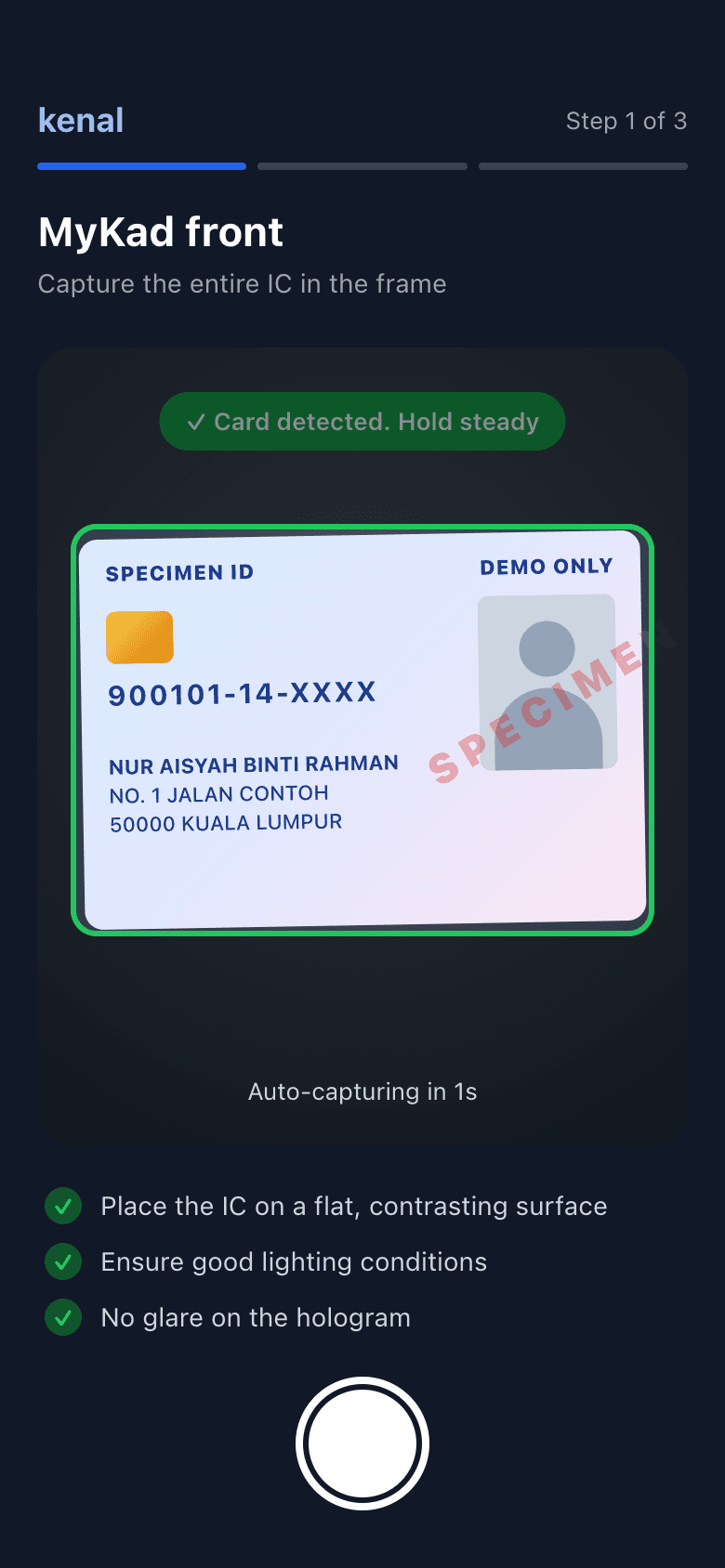
The customer holds up their MyKad, MyPR, MyTentera or passport. Auto-capture guides them to a sharp image, and Kenal eKYC reads the details, inspects the security features and checks for tampering and screen replay.Prove they are present, and match the face
A short liveness check confirms a real person is in front of the camera, not a photo, mask or video. Their face is then matched to the document photo, and True Identity Check flags a face that has appeared under a different identity number.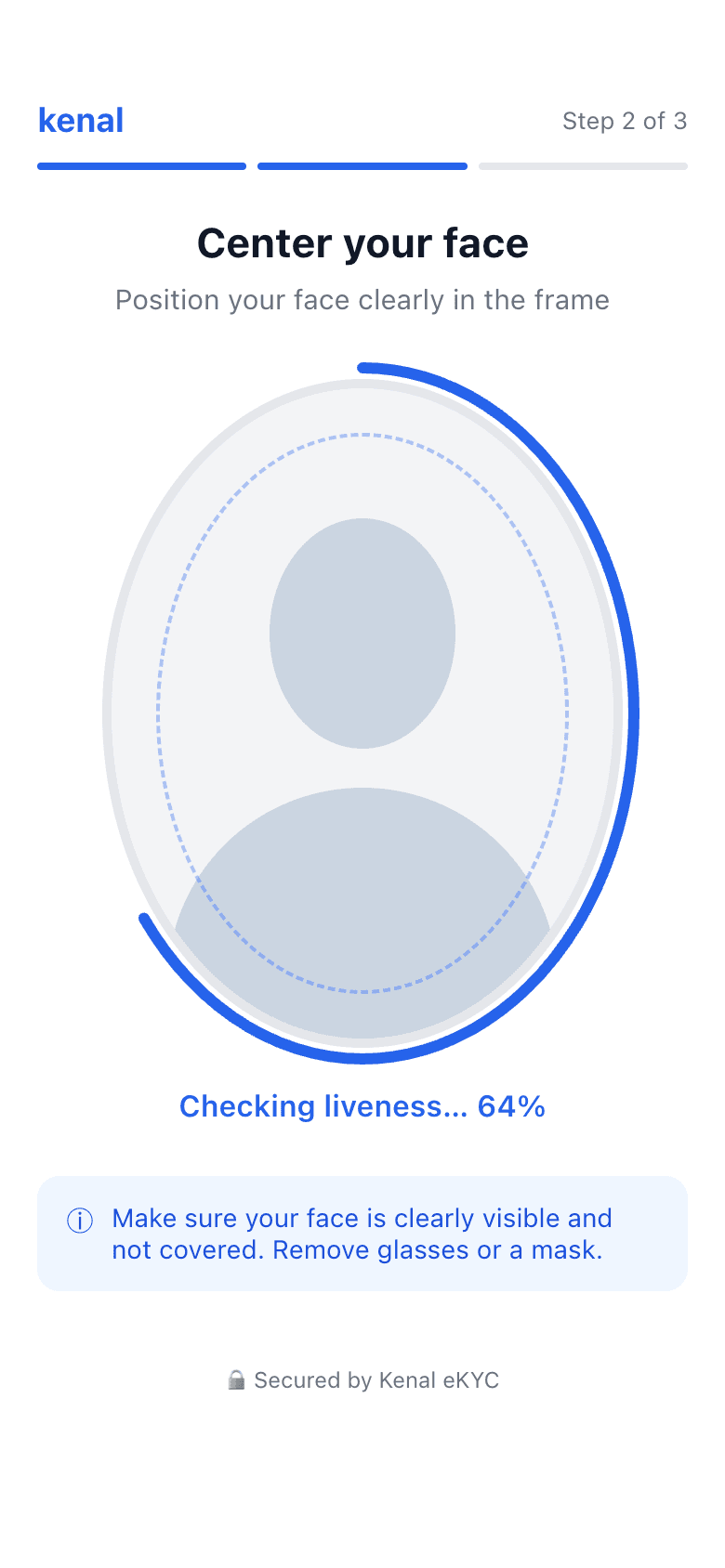
Screen against AML, PEP and sanctions lists
The customer is screened inside the same flow. Possible matches go to a review queue with the scores and sources side by side, and customers are re-screened on a schedule as the lists change.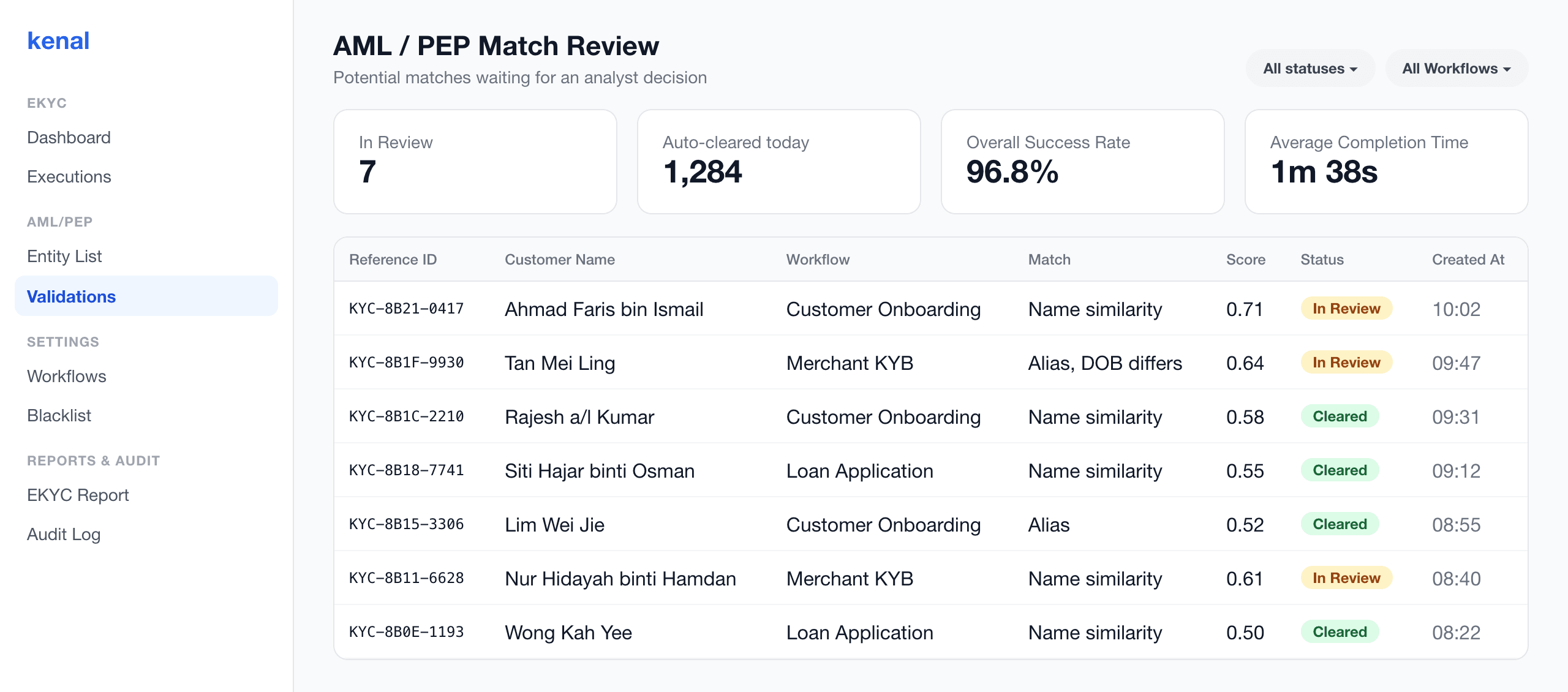
Get one decision
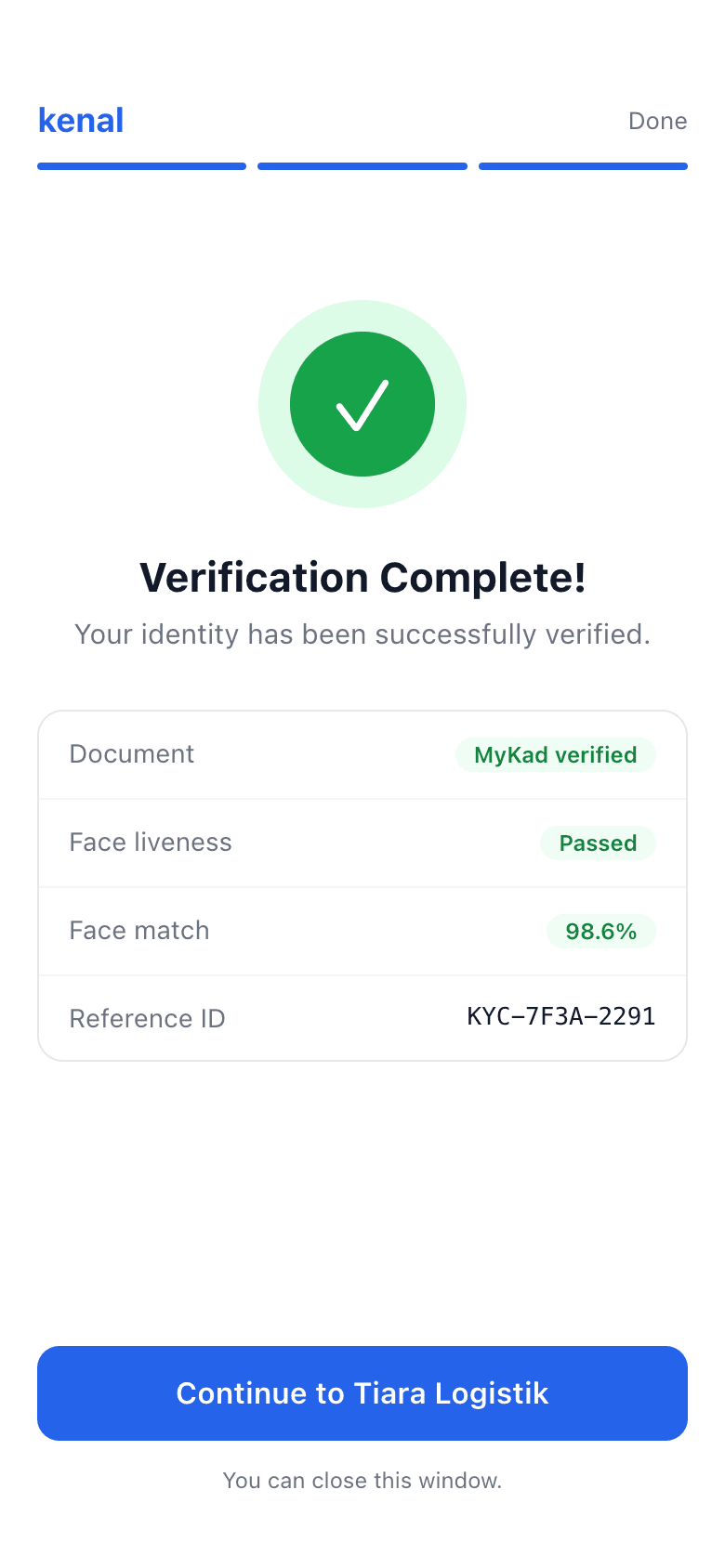
Approve, reject or send to review, by the rules you set. The result and its evidence reach your system through a signed webhook, and the customer sees a clear outcome straight away.
What you get
For every application:
One decision with the evidence attached
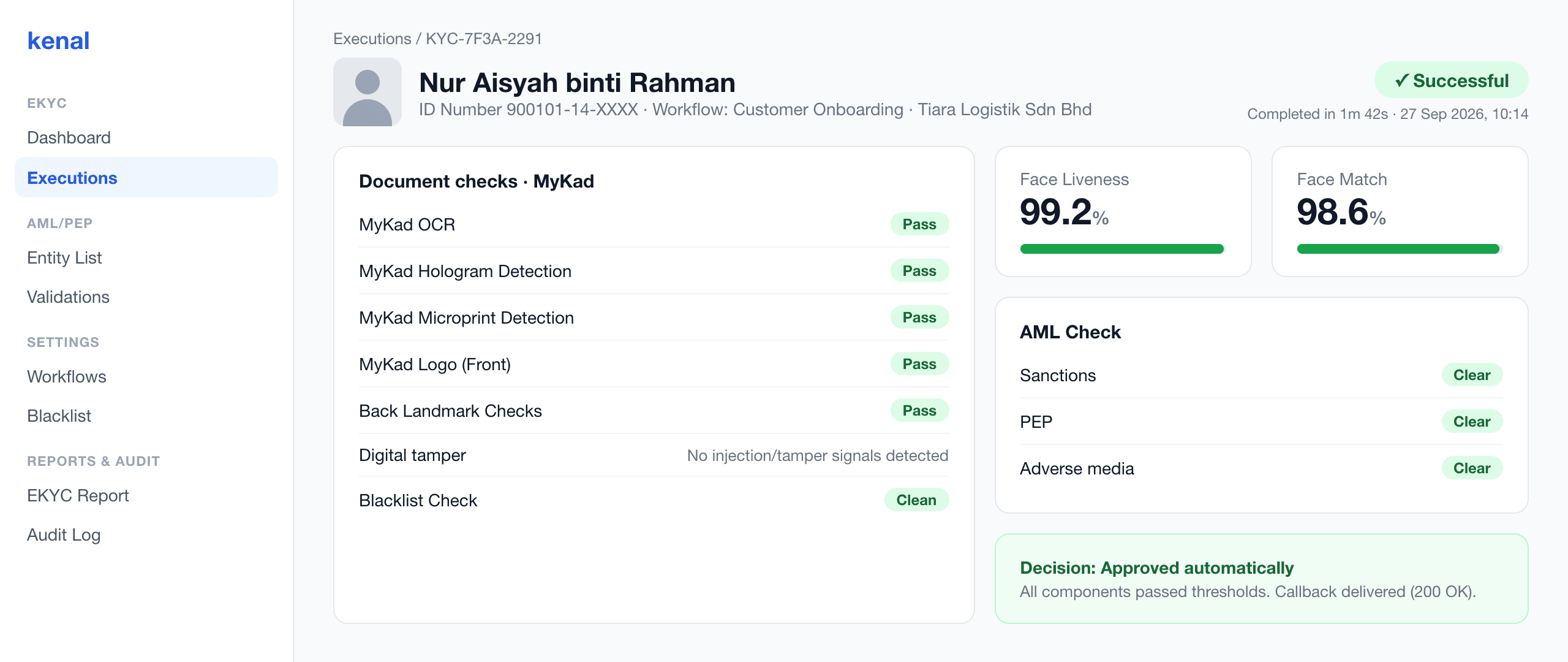
Document images, check results, liveness and face match scores and screening hits, in one record.
A review queue for borderline cases
Reviewers see the images, scores and reasons together and clear or reject in one screen.
A complete audit trail
Every check, threshold, reviewer action and decision, timestamped and ready for an examiner.
FAR sampling and reporting for BNM
Monthly samples sized for independent review, FAR and FRR tracked per workflow, templated to BNM STATsmart.
Ongoing screening
Customers re-screened against AML, PEP and sanctions lists after onboarding, not just on day one.
Structured customer data
Name, identity number, date of birth and a parsed Malaysian address, ready for your core system.
What it checks
Four layers, each configurable per workflow.
The document
- MyKad, MyPR and MyTentera, front and back
- Passports from any country via the MRZ
- NFC passport chip reading in the mobile SDKs
- More than 25 MyKad security features
- Tamper detection on edited or altered images
- Screen-replay detection for photos of a screen
The person
- Liveness detection against photos, masks and video
- Face match to the document photo
- Ghost photo compared with the main photo
- True Identity Check: one face, one identity number
The risk
- AML, PEP and sanctions screening in the flow
- Scheduled re-screening after onboarding
- Your own blacklist
- Review queue for possible matches
Your controls
- Workflow Studio: checks, order and thresholds
- Approve, reject or review rules per check
- BNM e-KYC FAR sampling and reporting
- Choose the fields returned to your systems
Integrate your way
Launch on the hosted flow in days, then move capture into your own app when you are ready. A sandbox is available on request.
- Hosted web flow with your branding, and a QR handoff from desktop to phone.
- Native SDKs for iOS, Android, Flutter and React Native, with on-device auto-capture.
- REST API for creating sessions and fetching results and images.
- Signed webhooks that deliver each decision to your systems, with retries.
Compliance and security
Built for Bank Negara Malaysia's e-KYC policy document, and for the examiners who read your files.
- FAR sampling, review and severity levels follow the approach in BNM's e-KYC policy document, with FAR and FRR reporting templated to BNM STATsmart.
- Every decision is explainable: the checks, scores, thresholds and reviewer actions behind it are recorded in the audit trail.
- Per-client API keys, IP and domain allow-lists, rate limiting and HMAC-signed webhooks protect each integration.
- Biometric and identity data is handled for PDPA obligations, with personal data redacted from exports and logs.
Questions buyers ask
Which identity documents does Kenal eKYC support?
Kenal eKYC supports MyKad, MyPR, MyTentera and passports. Malaysian cards are checked front and back, including their printed security features. Passports from any country are read through the machine-readable zone, and the chip can be read over NFC in the mobile SDKs for the strongest check. You choose which documents each workflow accepts, so a bank can take passports while a local lender accepts MyKad only.
How does Kenal eKYC tell a genuine MyKad from a fake or a photo of a screen?
Kenal eKYC inspects more than 25 MyKad security features and looks for signs of tampering and screen replay. It checks elements such as the hologram, microprint, ghost photo and chip, compares the ghost photo with the main photo, and cross-checks the printed details front and back. Edited images and pictures of a screen are caught before the customer reaches the selfie step.
What happens when a check fails or a result is borderline?
You decide: every check can approve, reject or send the application to your review queue. Borderline face matches, possible AML or PEP hits and document warnings land in the queue with the images, scores and reasons attached. A reviewer clears or rejects the case in one screen, and the decision is written to the audit trail and returned to your system by webhook.
Can we set our own thresholds and steps?
Yes. Workflow Studio lets your team choose which checks run, in what order and at what thresholds, without a development project. You can set the face match and liveness scores that pass, which results go to review, whether AML screening runs, and which fields come back to your system. Different products or customer segments can each have their own workflow.
How does Kenal eKYC help us meet BNM e-KYC FAR requirements?
Kenal eKYC builds False Acceptance Rate sampling into the platform, following the approach in Bank Negara Malaysia's e-KYC policy document. Each month it draws a statistically sized sample per workflow for independent review, tracks FAR by workflow and by check, and raises severity levels when rates rise. FAR and FRR reporting is templated to BNM STATsmart, so your submission starts from our numbers.
How do we integrate Kenal eKYC?
Choose the route that fits your product. The hosted web flow is the fastest start and needs no app changes. Native SDKs for iOS, Android, Flutter and React Native put capture inside your own app with your branding. A REST API and signed webhooks connect results to your core systems. A sandbox is available on request so your developers can build before going live.
Is Kenal eKYC proven at scale?
Yes. More than 650,000 eKYC applications had been processed through a national-scale consumer app as of 31 August 2026, with peaks above 10,000 applications in a single day. The same platform, checks and review tools serve banks, payment companies and lenders, so you start on infrastructure that already handles consumer volume rather than a pilot.
Used with
Verify a customer once with Kenal eKYC, and the same identity carries into the rest of the journey.
See Kenal eKYC on your own MyKad
Book a live demo, or ask for a sandbox so your developers can try the flow and the API before you commit.